









Best Gaming & Design Monitors That Truly Deliver in 2026 Leave a comment
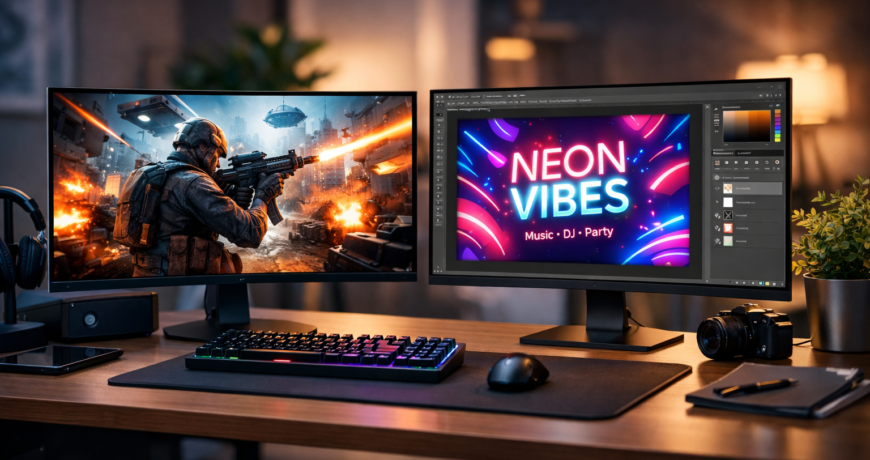
Choosing the right display today can be tricky. Gamers want speed and smooth motion, while designers demand accurate colors and sharp details. Fortunately, gaming & design monitors in 2026 are now capable of handling both needs seamlessly. With modern IPS panels, high refresh rates, and professional color calibration, you can enjoy smooth gaming while doing color-critical creative work.
This guide covers everything about gaming & design monitors—from key specs to the best models, pricing in Pakistan and UAE, and buying tips that make your investment worthwhile.
🎮 Gaming & Design Monitors: What Makes Them Special?
Not all monitors are created equal. Gaming & design monitors combine high refresh rates for gaming and precise color accuracy for graphic work.
Key features:
- Smooth refresh rates (120Hz–165Hz)
- Accurate color reproduction (sRGB, AdobeRGB, DCI-P3)
- High resolutions (QHD/4K) for detailed work
- Eye-friendly ergonomics for long sessions
This combination is perfect for creators, gamers, and professionals who want one monitor for multiple tasks.
🖥️ Key Features to Look for in Gaming & Design Monitors
🖼️ Resolution & Screen Size
Resolution impacts clarity and workspace.
| Resolution | Best For | Notes |
|---|---|---|
| 1080p (Full HD) | Casual use | Budget-friendly |
| 1440p (QHD) | Gaming + design | Ideal balance |
| 4K (UHD) | Professional design | Crisp and detailed |
Recommendation: A 27-inch QHD monitor is ideal for most mixed-use scenarios.
⚡ Refresh Rate
- 60Hz → Basic tasks
- 120Hz–144Hz → Smooth gaming + design
- 165Hz+ → Competitive gaming
A 144Hz refresh rate ensures both smooth gameplay and efficient creative workflows.
🎨 Color Accuracy
Design requires precision.
Look for:
- 100% sRGB support
- High AdobeRGB/DCI-P3 coverage
- Factory color calibration
IPS panels offer the best combination of color accuracy and viewing angles.
🖥️ Panel Type
- IPS: Best color and viewing angles
- VA: High contrast, slower response
- TN: Fastest for gaming, poor colors
✅ Modern IPS panels are the most versatile for mixed use.
🏆 Top Gaming & Design Monitors in 2026
Here are the best monitors tested for both gaming and design.
🥇 LG UltraGear 27GP850-B
Specs
- 27-inch QHD
- 165Hz refresh
- Nano IPS panel
- 98% DCI-P3
Best For: Gamers who design casually.
Prices: Pakistan PKR 65,000 | UAE AED 500
🥈 ASUS ProArt PA279CV
Specs
- 27-inch 4K
- 100% sRGB
- Factory calibrated
- USB-C support
Best For: Graphic designers, video editors.
Prices: Pakistan PKR 85,000 | UAE AED 650
🥉 Gigabyte M27Q
Specs
- 27-inch QHD
- 170Hz refresh
- IPS panel
- Wide color gamut
Best For: Students, freelancers, casual gaming.
Prices: Pakistan PKR 52,000 | UAE AED 420
🎯 Dell Alienware AW2724DM
Specs
- QHD
- 165Hz refresh
- IPS panel
- Premium build quality
Best For: Competitive gamers + moderate design tasks.
Prices: Pakistan PKR 78,000 | UAE AED 600
🎨 BenQ PD2725U
Specs
- 27-inch 4K
- Thunderbolt support
- Professional color calibration
Best For: Studios, professional creators.
Prices: Pakistan PKR 95,000 | UAE AED 720
🎯 Gaming & Design Monitors for Different Use Cases
🎮 Competitive Gaming
Choose: QHD + 144Hz or higher, IPS panel
Recommended: LG UltraGear 27GP850-B, Gigabyte M27Q
🎥 Creative Professionals
Choose: 4K + wide color gamut + calibration
Recommended: BenQ PD2725U, ASUS ProArt PA279CV
🧑💻 Students & Freelancers
Choose: QHD, IPS panel, affordable
Recommended: Gigabyte M27Q, Dell AW2724DM
🌍 Buying Tips for Pakistan & UAE
- Pakistan: Daraz, Galaxy, or verified stores. Ask about warranty and panel authenticity.
- UAE: Amazon.ae, Noon, or official retailers. Compare prices and warranty options.
- Avoid extremely cheap or unbranded monitors.
🪑 Ergonomics in Gaming & Design Monitors
Look for:
- Height adjustment, tilt, swivel
- Flicker-free technology
- Blue light filters
These protect your eyes and improve posture during long sessions.
❓ FAQ – Gaming & Design Monitors
Can gaming & design monitors handle both tasks?
Yes, modern IPS displays are built for speed and color accuracy.
Is 4K necessary for design?
Helpful but QHD is sufficient for most users.
Are gaming monitors bad for design?
Not anymore; many now have excellent color accuracy.
What size is ideal?
27-inch monitors are perfect for most users.
🏁 Final Thoughts
In 2026, one display can satisfy both gaming and creative needs. The gaming & design monitors listed above deliver speed, clarity, and color accuracy, making them ideal for creators, gamers, and professionals alike.
Invest wisely, consider your usage, and your monitor will enhance productivity and enjoyment for years to come.